How it works

Methodology can travel. Client facts shouldn’t.

The separation between reusable firm capability and client-local context is the thing a client is really asking about when they ask whether you use AI. This page states exactly where the line sits and what enforces it.

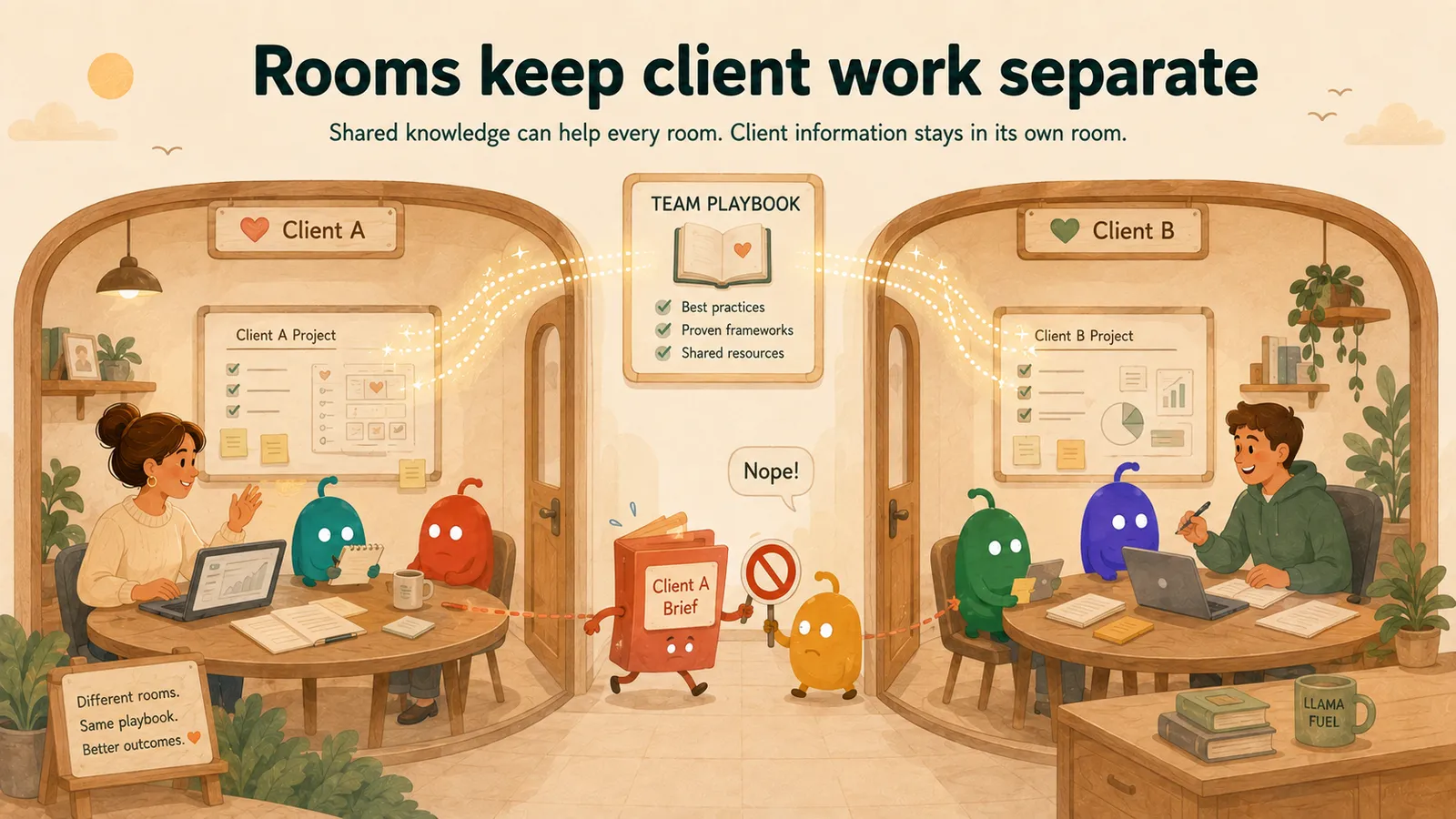
Two client rooms side by side in one workspace, each with its own people, documents and context; the team’s shared method sits above both.

A project room inside your workspace

A workspace is the tenant boundary for an organisation. Each engagement can have a room within it, containing its project material, sessions and results. A room is a container with its own access rules, not another workspace or a separate memory scope.

The boundary is enforced in the database

Launchpad uses database row-level security and permission checks for workspace, room and content access. Content scope and the caller’s rights determine which stored material may be read or used.

What may cross between engagements

Specialist and team definitions, working standards, and knowledge made available at workspace or team scope can be reused by people with the relevant access. Review shared material so its content matches the audience you chose.

What belongs in the project room

Client documents, interview material, project knowledge, session history, room-bound memories and outputs belong with the engagement. Sharing or promoting them requires the appropriate rights and a review of what the new readers should receive.

What a specialist can see when it works

A specialist draws on context made available for the current work: the admitted project material and reusable knowledge its permissions allow. Reusing a specialist does not itself grant access to another room’s content.

Portable personal memory and coworker learning

Portable personal memories require your approval. A coworker can also automatically retain screened professional observations about you, limited to you, that coworker and the workspace where you worked together. You can turn future learning off in Settings; doing so does not remove memories already saved.

Limits

What we are not claiming here

Stated here rather than discovered later. If a claim is not on this site, assume we are not making it.

  • This page describes isolation and access control. It does not make claims about encryption specifics, hosting region, retention or deletion guarantees, or formal certifications.
  • Workspace knowledge can be used in several rooms by authorised members. Review anything you move out of a project room: its new scope can give it new readers.
  • Coworkers can draw on saved memories across sessions. Recall selects a limited amount of relevant context and can miss a saved fact, so confirm important constraints in the current brief.
  • Screening helps identify sensitive or client-specific material, but it can make mistakes. Review a proposed lesson and its intended readers before making it shared knowledge.
  • For the verified detail on storage, sub-processors and your data rights, the security page is the authority — not this page.

Review security and data handling →

Also in this section

The rest of the detail

  • Methodology & knowledge

    How reusable firm capability is maintained separately from client facts — and what reuse does and does not do.

  • Quality & review

    What the critic and validator actually do, and where accountability stays.

See it working.

Free recorded demo · No live AI calls