How it works
How Launchpad works
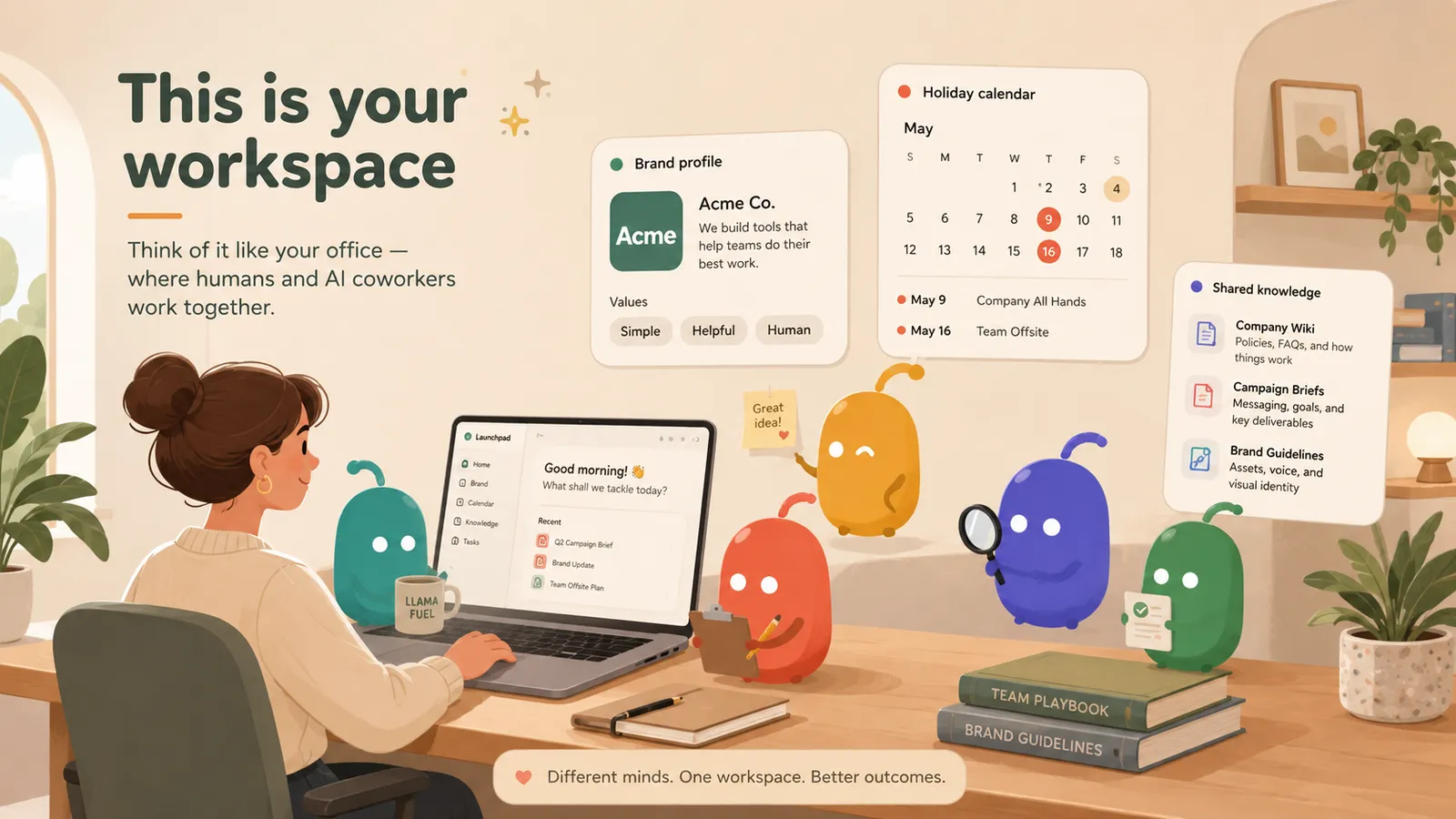
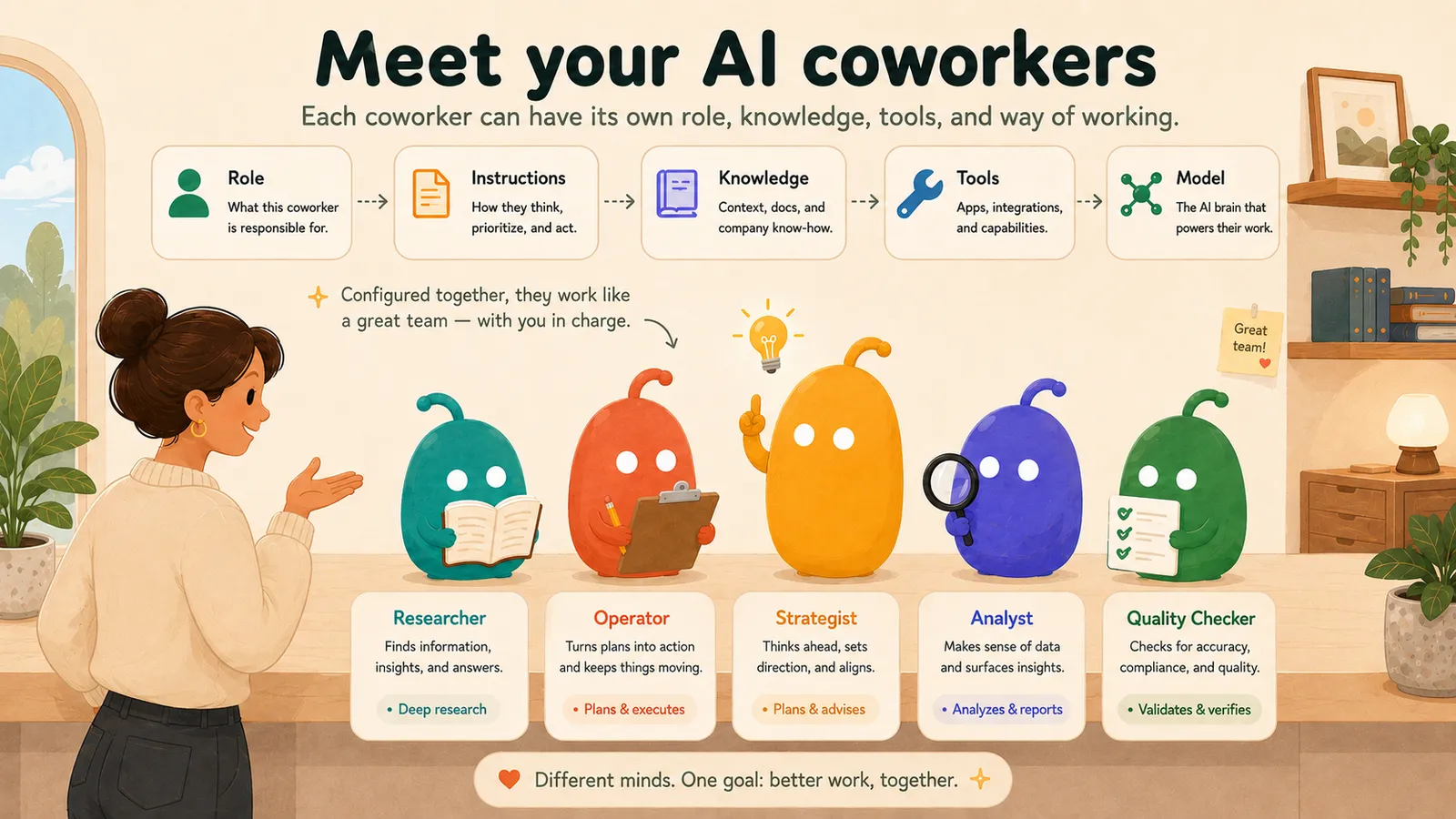
Coworkers
Each coworker has a role, instructions, knowledge, tools and a model.
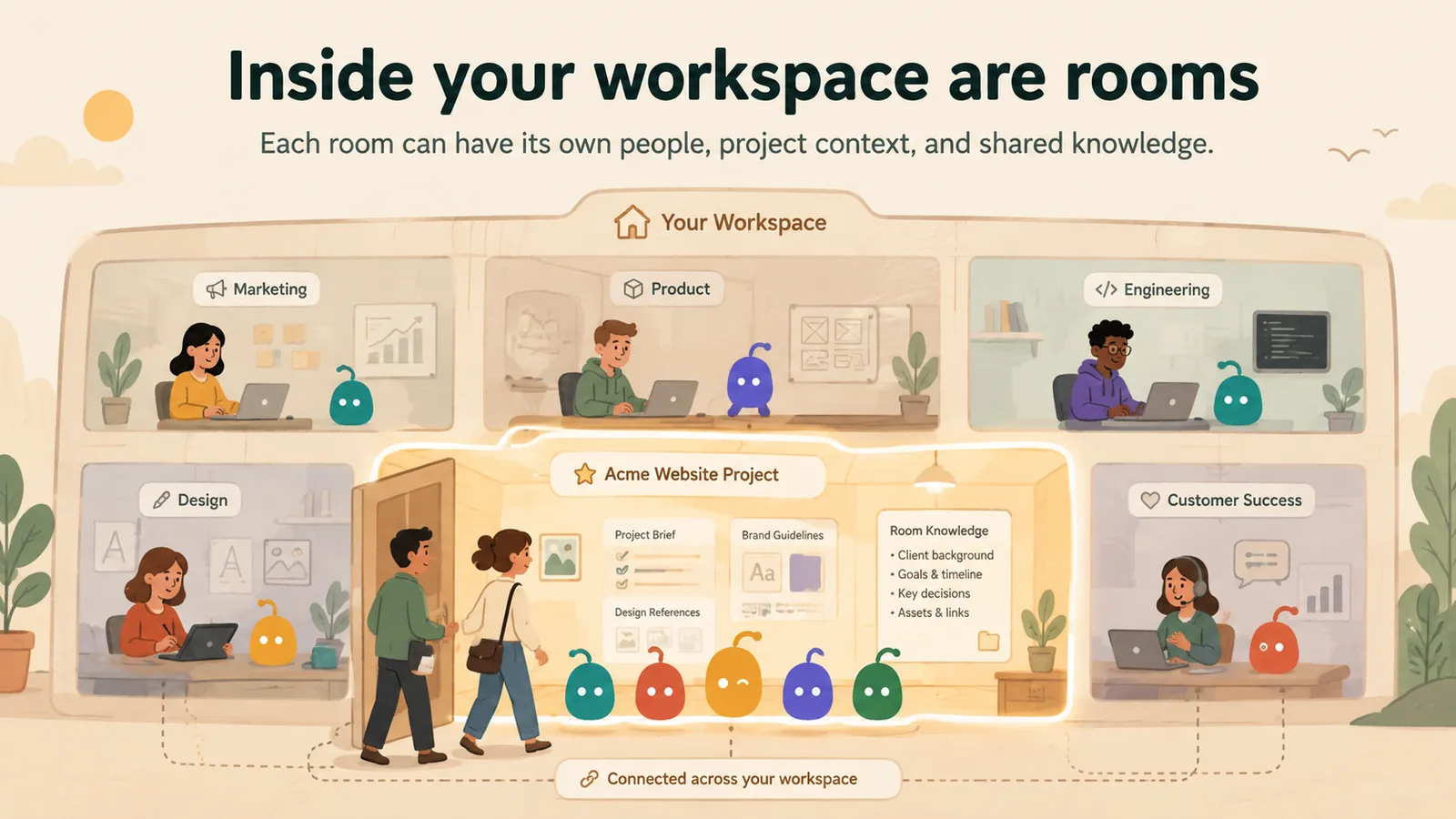
Rooms
Rooms keep each project’s people, context and knowledge together.
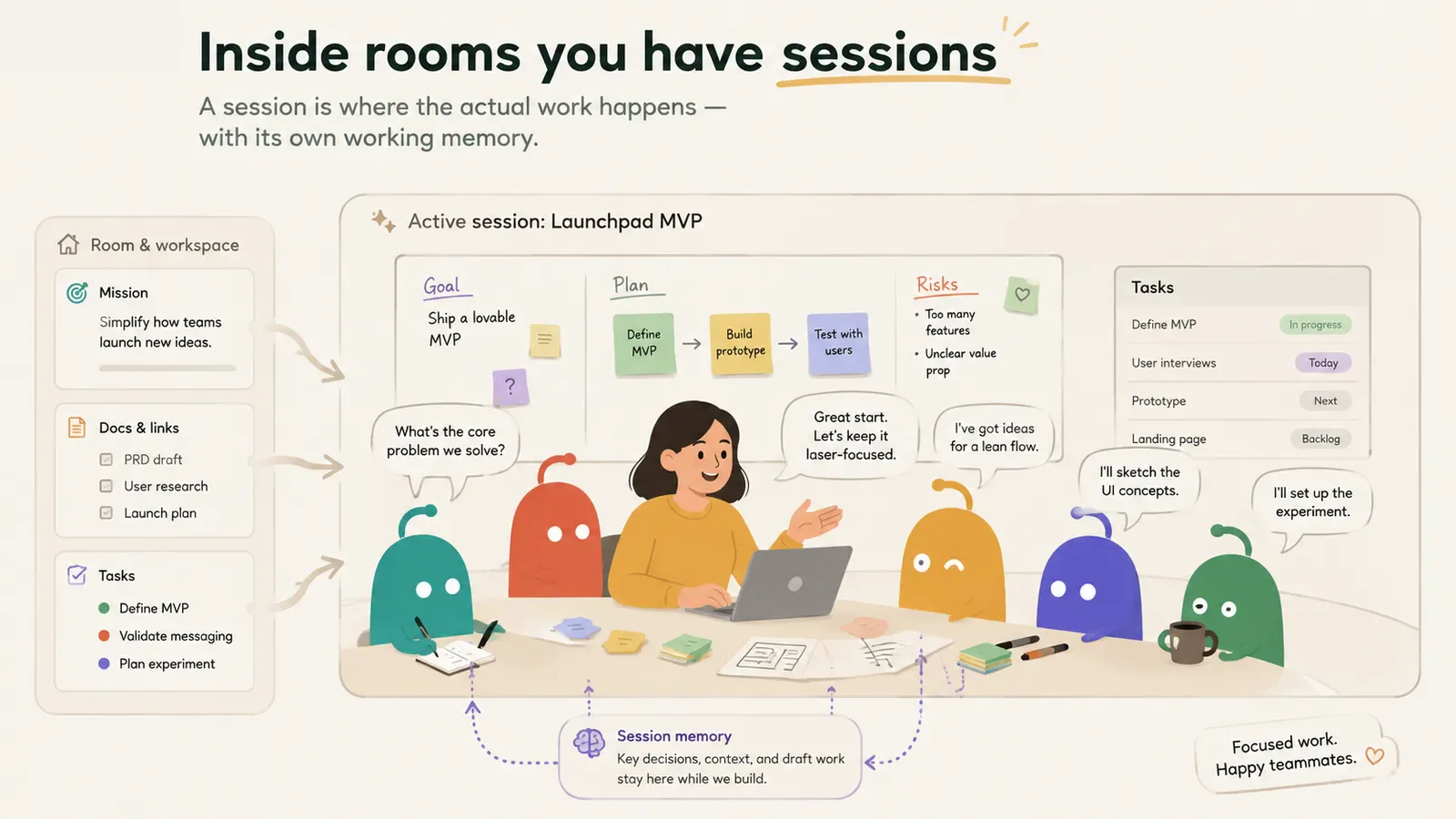
Sessions
A session puts you and your coworkers around one goal, with its own working memory.
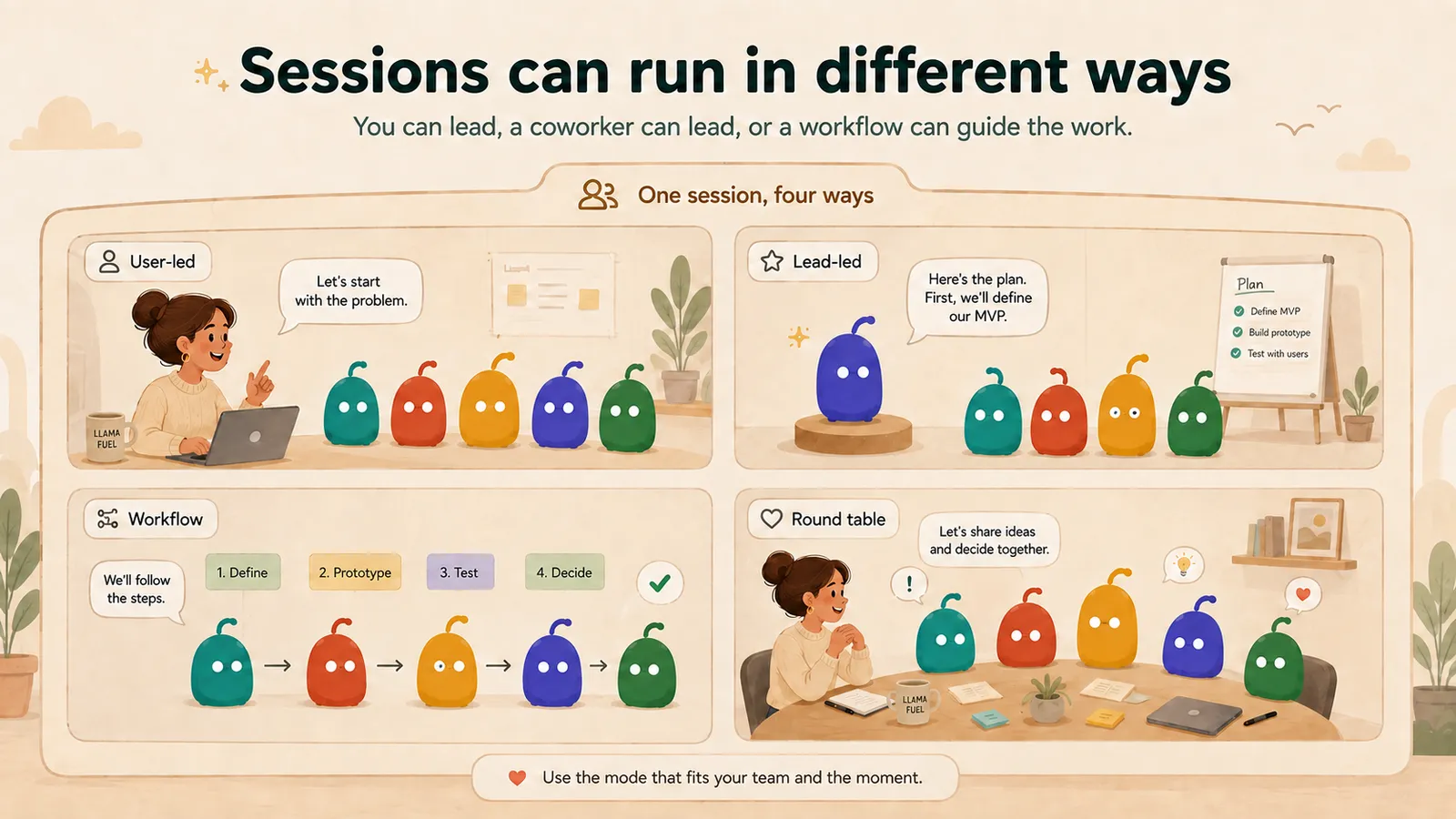
Ways of working
Sessions can run in different ways: you lead, a coworker leads, the team talks it through, or a set process runs.
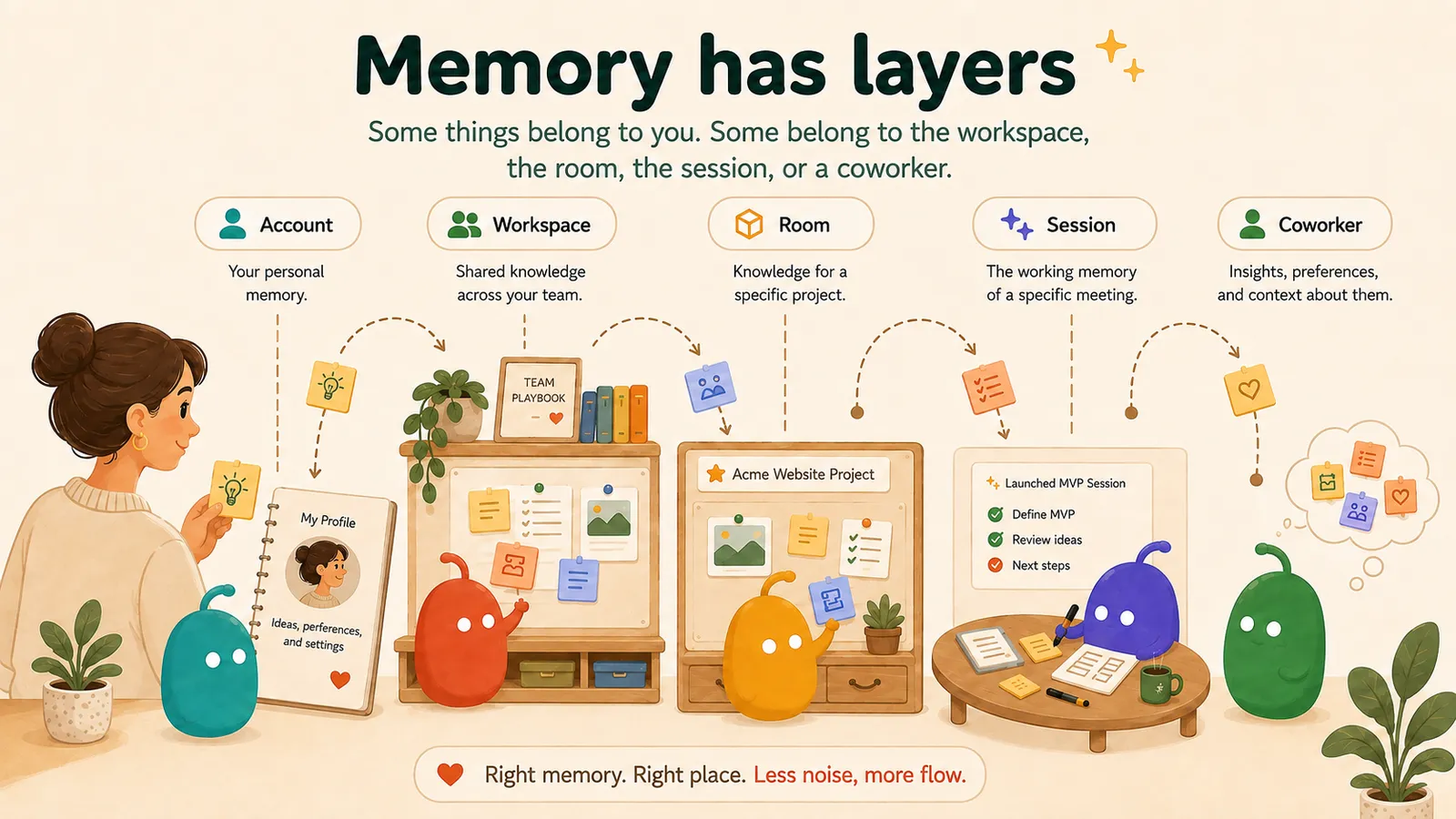
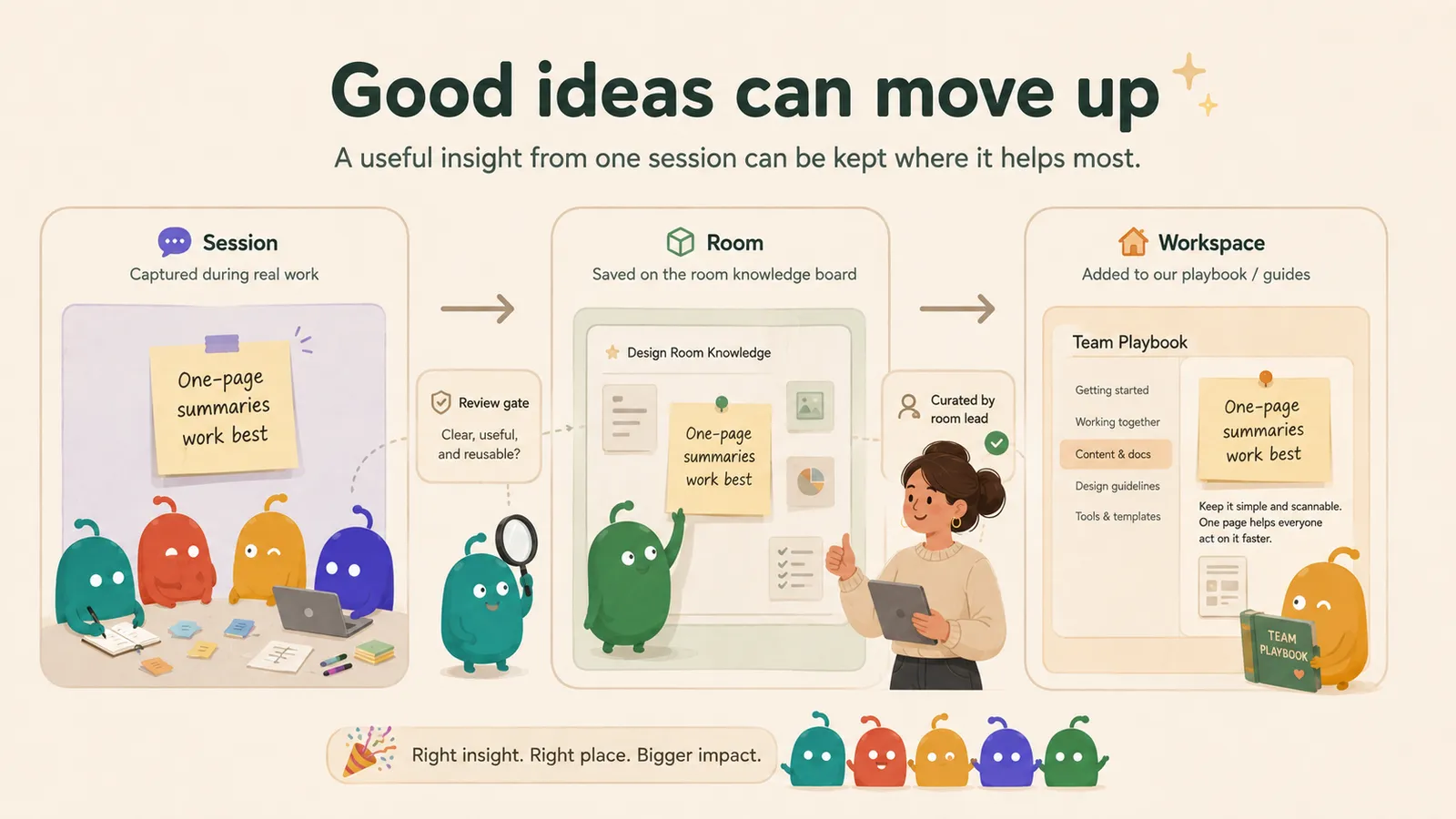
It gets better
Good ideas move up into your playbook, approved by you.
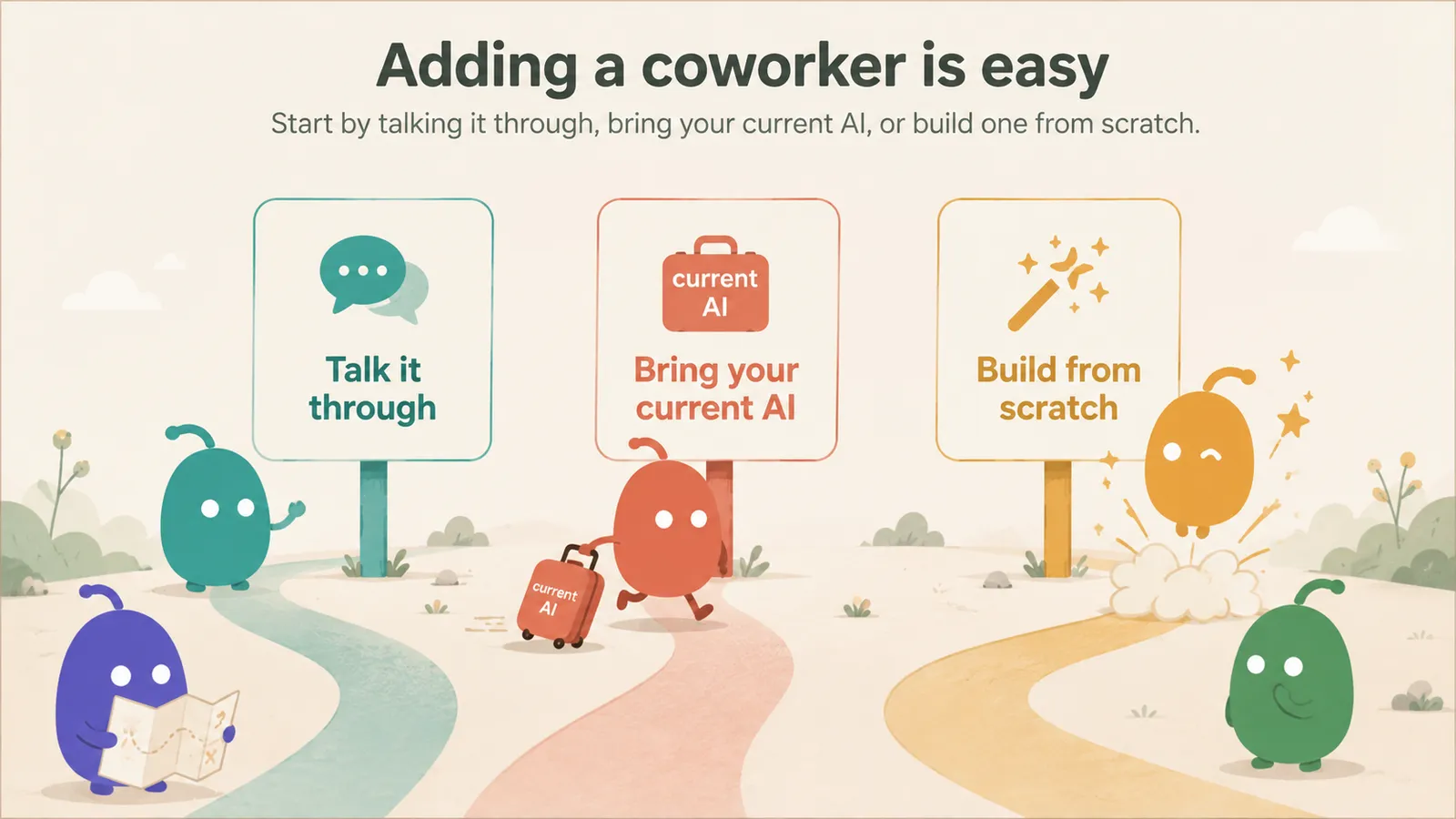
Start in minutes.
Going deeper
The full system, for evaluators
1. System overview
Your organisation’s workspace — specialists, teams and shared methodology
Client delivery room A
Project room — scoped access
Client context & firm methodology
Delivery team of AI specialists
Structured working sessions
Report Canvas → Design Canvas
Client delivery room B
Project room — scoped access
Client context & firm methodology
Delivery team of AI specialists
Structured working sessions
Report Canvas → Design Canvas
Create a coworker
Assemble a team
Run a session
Save a canvas
2. Client context
- Where client information lives
- What is loaded into a session
- What persists after a session
- How information is scoped
- What remains private
3. AI specialists
4. Delivery teams
- Roles and lead behaviour
- Critic and validator
- Collaboration rules
- Output requirements
5. Sessions
- How a session begins
- How context is assembled
- How specialists contribute
- How tools are used
- When your input is requested
- How the working output develops and the session ends
6. Working material, Report Canvas, Design Canvas
- Raw findings and working material
- Report Canvas — the curated working report
- Design Canvas — the recipient-facing deliverable
7. Validation and approval
8. Memory and reusable knowledge
- Short-term session context
- Durable memory
- Personal memory and coworker learning
- Selective recall
- Client-scoped knowledge
- Team-scoped knowledge and firm methodology
- Approved promotion of reusable learning
9. Tools and integrations
10. Security architecture
- Workspace isolation & row-level security
- Role-based permissions
- Credential handling
- Governed memory & approval-gated writes
- Data export and deletion
11. Technical FAQ
Which AI models does Launchpad use?
Can different specialists use different models?
How is context selected for a session?
Is client data mixed between workspaces?
What becomes long-term memory?
Can users approve or reject memory?
Can outputs be edited manually?
How are PDFs and designed outputs produced?
Can clients view an output without entering the workspace?
What integrations are currently supported?
What is stored by Launchpad?
How are AI and tool costs metered?
Can a consultancy create several client workspaces?
Can methodology be reused between clients?
Which capabilities are live, and which are planned?
The current state
The work is already spread across more places than the deliverable shows.
The operating change
Keep the method reusable. Keep the client context with the client.
Across projects
Within the engagement
What it buys you
Continuity
Come back tomorrow without rebuilding yesterday.
A working pass
Start with the client problem, not the prompt stack.
Open the engagement and work from the context already there
Describe the consulting outcome you need
Bring in the relevant specialist perspectives
Challenge assumptions and validate weak claims
Curate the material into work you can review and stand behind
Return later and continue from the same engagement
Quality
Challenge the work before it needs senior judgement.
Weak logic surfaces earlier
Claims get sorted by evidence
The accountable human still decides
The unit of value
The work should end somewhere better than a chat thread.
Strategic diagnosis
- What goes in
- What Launchpad analyses, challenges and validates
- What the client receives
90-day roadmap
- What goes in
- What Launchpad analyses, challenges and validates
- What the client receives
Decision memo
- What goes in
- What Launchpad analyses, challenges and validates
- What the client receives
Boundaries
Methodology can travel. Client facts shouldn’t.
Fit
When is Launchpad worth changing how you work?
Launchpad becomes more compelling when…
Keeping your current model is reasonable when…
Three ways in
Explore Launchpad the way you want to.
See it
Explore a pre-loaded environment
Try the interactive demoFree recorded demo · No live AI calls
Use it
Go straight to the live product
Go to Launchpad LiveLaunchpad Live from $29/month incl. VAT
Work through it with us
Bring a workflow and talk it through
Walk through your use case with usOptional founder help — no sales conversation required to start.